Profile & Settings
Click on your avatar at the bottom of the main menu to access your profile and settings.

Find user-specific actions, a list of recently opened items, and useful reference information.
Profile Settings
- Language
Set the system display language.
- Avatar
Upload an avatar.
- Password
Change your login password (may be disabled by system admin).
- Notifications
Select where, when, and for which groups you want to receive notifications, or choose a new notification sound.
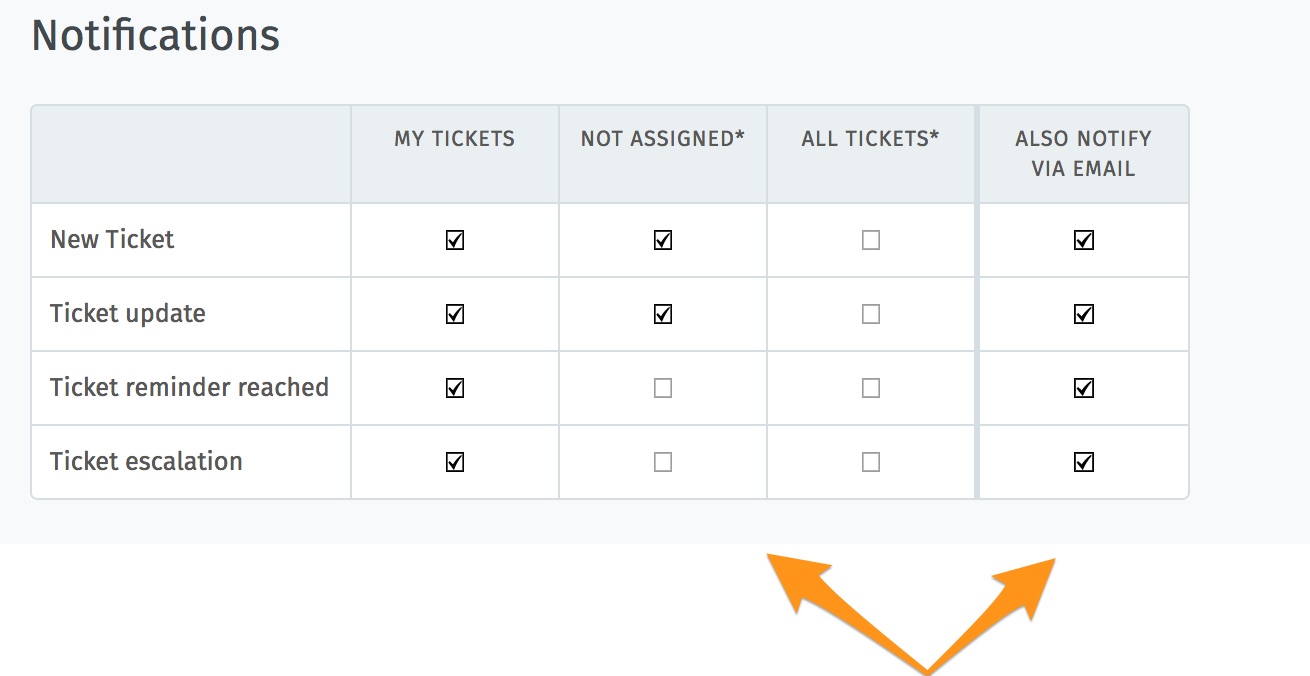
Use the first three columns to choose when to receive internal notifications (below). The rightmost column enables email notification as well.
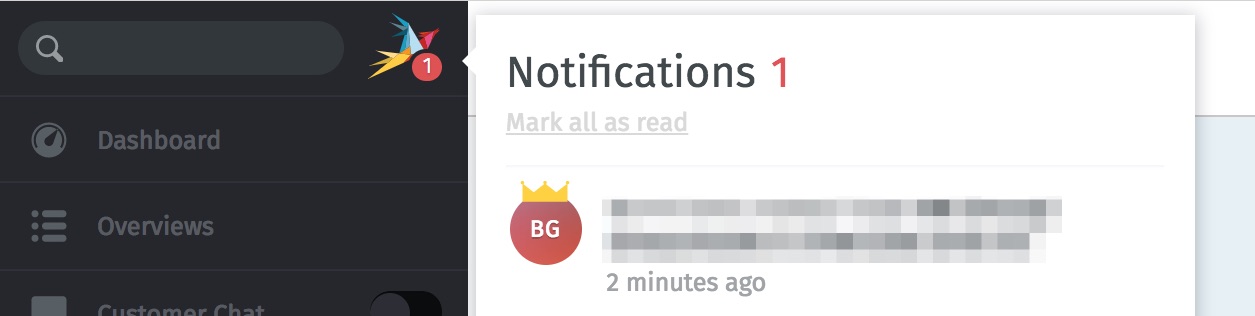
Internal notifications cannot be disabled.
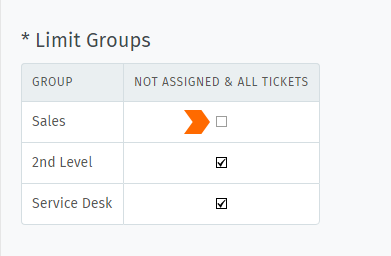
By default, you will receive notifications for all tickets on every group you belong to—even for tickets that are assigned to other agents. Use the Limit Groups box to disable such notifications on a per-group basis. (You will continue to receive notifications for your own tickets.)
Hint
The contents of these email notifications can be customized on self-hosted installations. Administrators can learn more here.
- Out of Office
Schedule out-of-office periods in advance, and designate a substitute to handle your tickets while you’re gone.
Your substitute will receive all your ticket notifications during your absence, and have a custom overview created to help keep track of your tickets.
Note
🔔 You will continue to receive notifications while you are out-of-office!
- Calendar
Add your ticket deadlines to your own favorite calendar app with the ICAL link listed at this settings panel.
- Devices
See a list of all devices logged in to your Zammad account (and revoke access, if necessary).
- Token Access
Generate personal access tokens for third-party applications to use the Zammad API.
Caution
Always generate a new token for each application you connect to Zammad! (This makes it possible to revoke access one application at a time if a token is ever compromised.)
- Linked Accounts
See a list of third-party services (e.g., Facebook or Twitter) linked to your Zammad account.